The rise of Generative-AI and related artificial intelligence tools has moved quickly from labs into daily apps. It now appears inside search, writing assistants, design suites, and customer support. People in the United States already meet these systems while they work, shop, learn, and create.
This Ultimate Guide explains how Generative-AI shows up in everyday products rather than only in standalone apps. It previews ten clear ways these applications save time, cut friction, and open new creative options.
The article uses real, recognizable examples like Microsoft Copilot, Google Gemini, GitHub Copilot, and Adobe Firefly to show practical use. It also explains why quality is improving and what to watch for, since outputs can still be wrong or biased.
Key Takeaways
- Generative and other artificial intelligence systems are already inside familiar products.
- These tools speed tasks, reduce friction, and enable new creative paths.
- The guide covers ten everyday applications with real examples.
- Readers will learn how the systems work and why accuracy has improved.
- Risks and quality control are included to help readers use outputs wisely.
Why Generative AI Feels “Everywhere” Right Now
In the last few years, smart models moved from lab demos into features people tap every day. That shift explains why so many products now seem to include AI.
Key milestones accelerated consumer adoption. ChatGPT’s 2022 debut and the same-year rise of Midjourney and Stable Diffusion made text and image generation familiar. Companies then embedded similar features into search, email, phones, and workplace suites.
Two technical shifts improved real-world performance. First, larger foundation models and transformer breakthroughs made models more capable. Second, better tuning and evaluation loops raised output quality.
The change turned toy demos into dependable productivity helpers. People now use these applications for drafting, summarizing, and creating multiple versions on demand. Low-friction access via web apps and built-in assistants made adoption fast.
What to watch for
- Improved scale and tuning drive better outputs.
- Ubiquity comes from easy access to useful tools.
- Users should still verify results in high-stakes situations.
What Generative AI Is and What It Is Not
Generative systems model patterns in data so they can produce new outputs when prompted. These systems use generative models that learn from examples and then generate content across media. That capability is powerful, but it has clear boundaries.
Concrete outputs include:
- Text — drafts, emails, summaries, and captions.
- Images — concept art, product mockups, and photo edits.
- Audio — narration, voice recreation, and simple sound design.
- Video — short clips and animated sequences from prompts.
- Code — snippets, scripts, and assisted completions.
These are specialized models tuned for particular tasks, not general-purpose human reasoning systems. They can mimic style, follow structure, and speed tasks. Yet they still make logical mistakes, omit context, or invent facts.
Not AGI: generative systems are not artificial general intelligence. They do not hold goals, common sense, or full understanding the way people do. For everyday use, that means people should verify outputs, set constraints, and apply guardrails to keep results reliable and safe.
How Generative AI Works Behind the Scenes
A clear lifecycle—train, tune, generate—explains how complex systems become practical tools. That three-step process turns massive raw data into models people can use every day.
Training, tuning, and generation cycles
Training builds foundation models by exposing them to huge, unstructured datasets so they learn broad patterns. Next, teams tune those models for a target task or product. Finally, the system enters repeated cycles of generation, evaluation, and retuning to raise quality over time.
Foundation and large language models
Foundation models are general-purpose models trained on vast data. Large language models (LLMs) are a major class focused on text, while multimodal systems handle images, audio, and text together.
Architecture, parameters, and prompts
Transformers unlocked better long-form outputs by using attention to track context across sequences. Parameters are the learned settings that encode relationships from training data, which is why the same prompt can yield varied results.
- Diffusion methods power many text-to-image systems via iterative denoising.
- Natural language prompts became the default UI because people can ask for results directly and iterate quickly.
Everyday Writing and Messaging Powered by Natural Language
Smart assistants now help people turn intent into clear messages fast. They reduce the time spent staring at a blank page and get workable drafts into circulation.
These tools draft email replies, meeting follow-ups, apologies, and scheduling notes. Users paste a rough idea and receive polished text that saves minutes on routine communication.
Faster drafts, better clarity
Summaries turn long threads and documents into bullet takeaways for quicker decisions. They make complex content scannable and actionable.
- Draft common responses: email, SMS, and brief notes.
- Adjust tone: professional, friendly, or firm to match the audience.
- Rewrite workflows: users provide rough text and approve a grammatically improved version.
Safe prompting raises output quality. A good prompt states intent, audience, desired length, tone, and key points. For example: “Short, professional reply to confirm a meeting at 3 PM.”
Note: AI-written text can sound confident but still be wrong. Quickly fact-check names, dates, and commitments before sending.
Search, Q&A, and Research That Feels Conversational
Modern search behaves more like a Q&A session: users ask for comparisons, syntheses, and clear next steps instead of typing short keywords.
Summarizing unstructured data is a key use case. Language models can read PDFs, web pages, and notes and turn messy content into bullet lists, pros/cons, or action steps.
The system often pairs generation with retrieval. Retrieval-augmented generation (RAG) looks up current sources at query time and uses them to ground answers.
Why RAG matters now
- It makes answers fresher for policy changes, product updates, and breaking news.
- RAG can cite or link back to sources so users see where information and claims come from.
- It reduces reliance on training-only knowledge when real-time data matters.
Everyday examples
People use conversational research to understand a medical bill, compare phone plans, decode a legal clause, or summarize a long HOA document.
Expectation: conversational search aids orientation and synthesis, but critical details should be verified with primary sources.
Content Creation for Social, Blogs, and Marketing—Without a Full Studio
A short prompt often turns into an outline, a headline set, and a first draft in one session. This reduces the friction between idea and publishable content.
From ideas to outlines to polished copy
Teams brainstorm angles, build clear outlines, and get first-pass copy quickly. That speeds routine tasks and frees time for editing and strategy.
Rapid variation for marketing workflows
Tools generate multiple headlines, meta descriptions, CTAs, and platform-specific rewrites in moments. Marketers can test variants and pick the best fit.
- Small businesses draft product descriptions.
- Nonprofits write campaign updates.
- Creators plan weekly content calendars.
Fewer iterations means writers edit a solid draft instead of crafting from scratch. Humans keep editorial control, check facts, and ensure compliance.
Watch for quality issues like generic phrasing, repetition, or unsupported claims. Tighter prompts and clearer inputs improve outputs and overall content quality.
Customer Service Chatbots and Virtual Agents in Daily Transactions
Many routine customer contacts now begin with a chatbot that triages the request and delivers a fast first response. These virtual agents appear during billing inquiries, order status checks, travel changes, password resets, and returns.
More personalized support and around-the-clock availability
Integrated systems let bots reference account history and prior tickets to reduce repetition. That context can speed common tasks and make responses feel tailored.
24/7 availability means faster first replies, shorter hold times, and more self-service options. For many users, this change is the clearest consumer impact.
Where chatbots can still break: consistency and accuracy limits
Probabilistic models can produce inconsistent answers and plausible but wrong outputs. Hallucinations may invent policies or misstate eligibility for refunds or fees.
Practical playbook:
- Ask for links to policy pages or reference numbers.
- Request escalation to a human when details matter.
- Save transcripts for disputes and follow-up.
Best practice: the strongest experiences pair retrieval, guardrails, and clear human handoffs so the process remains reliable and quality stays high.
Generative AI in Office and Everyday Tools People Already Use
Many familiar apps now hide smart assistants behind a simple button, so creativity and edits happen inside the workflows people already use.
Embedded assistants appear as features inside common applications rather than separate destinations. Microsoft Copilot helps draft and summarize in Office. Adobe Firefly adds generative design inside Creative Cloud. Google Photos offers AI-assisted edits for quick image fixes.
Daily office tasks get faster. Users can rewrite slides, summarize meetings, turn notes into action items, and generate first-draft documents with a few clicks. These helpers work on text and structure so teams spend less time on routine editing.
Everyday photo workflows improve as well. Common edits include removing objects, expanding backgrounds, enhancing colors, and applying quick style tweaks for social posts. Those image fixes save time compared with manual retouching.
- One-click draft and summarize for documents.
- Slide rewriting and meeting-to-action conversions.
- Fast photo edits, background expansion, and style presets.
Convenience drives adoption: people use these systems when they save time inside tools they already know. Quick wins are more persuasive than moving to new apps.
Key caution: always review generated content and image edits for accuracy. Watch for sensitive data leakage and unintended changes that alter meaning.
Code Generation That Speeds Up Apps, Websites, and Automations

AI-assisted coding reduces repetitive work and turns plain descriptions into runnable scripts. Developers and non-developers use these features for autocomplete, snippets, and small components that would otherwise take time to build.
From completion to “vibe coding”: assistants like GitHub Copilot and Microsoft Copilot accept natural language prompts and produce starter code. A user can describe what an app should do, review the suggestion, and iterate until it fits.
Debugging and refactoring become faster when a model summarizes what a function does, suggests fixes, or modernizes legacy patterns. Translation use cases include converting pseudocode into runnable code and porting code between programming languages.
- Save time on routine coding tasks and small automation scripts.
- Turn high-level intent into scaffolding and testable snippets.
- Translate between languages and generate unit tests for validation.
Quality and governance: AI outputs can be insecure or inefficient. All generated code must be reviewed, tested, and scanned. Organizations should avoid pasting proprietary sources into public systems and use approved secure environments for sensitive work.
Images and Design From Text Prompts
Anyone can describe a scene and get multiple image drafts to refine. Text-to-image tools like Stable Diffusion, Midjourney, and DALL‑E let users set subject, style, lighting, and composition, then iterate with small prompt changes.
How it works at a user level: a prompt names the subject, asks for a style or mood, and adds format or color notes. Users tweak the prompt and pick the best draft to edit further.
Why diffusion models matter
Diffusion approaches power many recent breakthroughs. These models refine noise into detail, giving better control, more photorealism, and more consistent outputs than older methods.
Everyday design and editing
Common uses include social graphics, presentation visuals, mood boards, product concept art, and quick mockups for small teams.
- Practical edits: background removal, generative fill, resizing for formats, and style transfer from photo to illustration.
- Limitations: hands, readable text inside images, and strict brand consistency often need manual fixes.
Responsible guidance: avoid using real people’s likenesses, trademarks, or copyrighted styles without permission. Review and post-edit generated content to ensure legal and brand safety.
Audio, Speech, and Music Generation in Entertainment and Productivity
Audio generation now produces narration and soundtracks that speed content production across many industries.
Text-to-speech voices have grown far more natural. Modern systems deliver smoother cadence, clearer pronunciation, and richer tone than older robotic voices. That rise in quality makes narration practical for training videos, accessibility features, and quick podcast prototypes.
Everyday productivity and creative uses
Teams use synthetic speech to turn documents into listenable summaries, add voiceovers to slides, and produce multilingual narration drafts. Services such as Amazon Polly and ElevenLabs are common tools and examples of this trend.
Music and creative acceleration
Music generation helps creators with rough tracks, background ideas, and fast variations for demos. These short sketches speed the editing and iteration cycle for composers and content teams.
Risks and safeguards
Voice cloning and audio deepfakes can enable scams or impersonation. Practical safeguards include verifying requests through known channels, requiring verbal passphrases for approvals, and treating unexpected voice messages with caution. Users should confirm identity when systems produce unfamiliar outputs.
Video Generation and the New Era of Synthetic Media
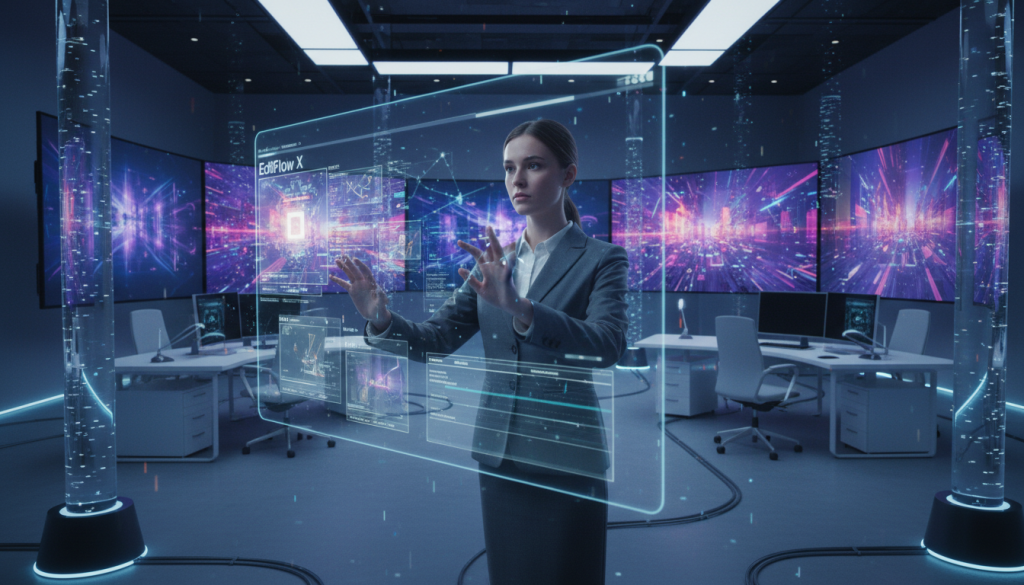
Text-driven video tools now let teams turn short prompts into shareable clips in minutes. Tools such as Sora, Runway, Veo, and LTX generate short clips, stylized scenes, ad concepts, and storyboard drafts from simple descriptions.
What “photorealistic” means today
Photorealistic outputs can look convincing at a glance, but they still show artifacts, physics errors, or continuity glitches on closer inspection.
Quality varies by prompt, model tuning, and the tool’s retrieval of reference frames.
Everyday applications and risks
Common use cases include marketing previews, internal training visuals, social experimentation, and fast ideation without a full crew.
- Examples: short ads, prototype scenes, and storyboards.
- Systems accelerate pre‑production by producing editable drafts.
- Organizational mitigations like watermarking and content authentication exist, but detection is imperfect.
Deepfakes and media literacy
Deepfake video can convincingly mimic people and enable impersonation or political misinformation.
Practical advice: verify sources, seek corroborating information, be skeptical of viral clips, and rely on reputable outlets before sharing.
Generative-AI Risks, Quality Control, and Responsible Use
As systems move into daily use, their risks and limits become practical concerns. Teams and users must understand common failure modes and follow simple practices that keep results reliable.
Hallucinations, evaluation challenges, and guardrails
Hallucinations are plausible but inaccurate statements that appear because models predict likely sequences from learned patterns, not verified facts.
Evaluation is hard because “it sounds right” is not a metric. Good evaluation uses tests, citations where possible, and human review for critical workflows.
Guardrails include limiting tools to trusted sources, enforcing policy formats, and requiring confirmations before automated actions.
Bias in training data and unfair outputs
Unfair outputs can arise when societal biases exist in training data or tuning feedback. Diverse datasets and ongoing audits help reduce those harms.
Privacy, IP, and prompt hygiene
Never paste passwords, SSNs, customer lists, proprietary code, or confidential documents into unapproved tools. Treat outputs as drafts, not authoritative answers.
Environmental impacts
Training and serving large models rely on data centers with rising energy use, cooling water needs, and e‑waste. Organizations should track efficiency and use renewable sources when possible.
- Verify claims and ask for sources.
- Limit sensitive inputs and use approved environments.
- Run human review for high‑risk decisions.
- Audit training data and monitor model quality regularly.
Conclusion
,Across writing, research, design, code, and media, artificial intelligence has moved from novelty into routine use.
Summary: the ten everyday applications include writing, research, content creation, customer support, office assistants, coding, images, audio, and video. These features change how people interact with software by letting natural language turn complex tasks into simple workflows.
Trust and quality: users should verify key information, keep humans accountable for final decisions, and prefer systems that use citations or RAG to ground outputs.
Start by experimenting on low‑risk tasks (drafting, brainstorming, formatting) and scale with review steps. Adopt these tools responsibly: protect privacy and IP, watch for bias and hallucinations, and be skeptical of synthetic media in the news.
FAQ
What are common everyday uses of generative models like large language models and text-to-image tools?
They assist with drafting emails, creating social posts, generating marketing copy, summarizing documents, producing images from text prompts, composing simple music clips, and offering code suggestions. These tools speed routine tasks in productivity suites, photo apps, content creation platforms, and developer environments, improving efficiency and creative iteration.
Why does generative AI feel “everywhere” right now?
Widespread adoption stems from an AI boom in the 2020s, rapid improvements in model architectures such as transformers, and the emergence of user-friendly interfaces. More accessible cloud compute, clearer natural language prompts, and integrations into search, chatbots, and office tools made practical applications visible in daily life.
How are today’s outputs higher quality than earlier AI systems?
Modern foundation models are trained on larger, more diverse datasets and tuned with techniques like reinforcement learning from human feedback. Better model parameters, finer architecture, and iterative training cycles reduce errors and produce more coherent text, realistic images, and fluent audio than prior generations.
What exactly is a generative model and how does it differ from general AI?
A generative model creates new content—text, images, audio, video, or code—based on patterns learned from data. It is task-focused and not equivalent to artificial general intelligence (AGI), which would exhibit broad, human-level reasoning across domains. Current systems excel at pattern generation but lack true understanding or consciousness.
How do training, tuning, and generation cycles improve model outputs over time?
Models train on massive datasets to learn statistical patterns, then undergo fine-tuning and evaluation to align outputs with user needs. Feedback loops—human review, automated metrics, and deployment telemetry—guide updates. This cycle refines language fluency, reduces harmful outputs, and adapts models to new domains.
What role do transformer architectures and large language models play?
Transformer architectures underpin most modern LLMs by efficiently modeling long-range dependencies in sequences. They scale to billions of parameters, enabling richer representations of language and context. These foundation models serve as starting points for specialized tasks like translation, summarization, and question answering.
Why did natural language prompts become the default interface for these systems?
Natural language is intuitive for most users and avoids a steep learning curve. Prompting lets people specify intent, style, and constraints quickly. That accessibility accelerated adoption across content creation, coding assistance, and conversational agents in customer service and research workflows.
What causes variation in model results from the same prompt?
Variability arises from randomness in generation, differences in model temperature and decoding strategies, and sensitivity to phrasing. Training data bias and model parameters also influence outputs. Iterative prompt design and prompt engineering help produce more consistent results.
How do generative tools improve everyday writing and messaging?
They draft emails, generate summaries, suggest edits for tone and clarity, and fix grammar. Built-in assistants in productivity suites and messaging apps speed composition and maintain consistent voice across communications, saving time for professionals and students alike.
How does conversational search and retrieval-augmented generation (RAG) change research?
RAG combines retrieval from fresh, structured or unstructured sources with model generation to produce answers grounded in external documents. It helps summarize large volumes of information, cite sources, and reduce hallucinations, making conversational search more transparent and useful for research tasks.
Can creators produce marketing and social content without a full studio?
Yes. Tools generate outlines, headlines, ad copy, image variations, and short videos, enabling solo creators and small teams to iterate quickly. This lowers production costs and shortens concept-to-publish timelines while supporting A/B testing and rapid creative exploration.
Where do customer service chatbots still fall short?
Chatbots can provide personalized, 24/7 responses but may struggle with complex reasoning, maintaining long-term context, and consistent factual accuracy. Organizations should combine automation with escalation paths to human agents and add monitoring to catch errors and bias.
How does code generation speed software development?
Code assistants suggest completions, generate boilerplate, translate between languages, and help debug or refactor code. They reduce repetitive work, accelerate prototyping, and support developers with documentation and examples, though review and testing remain essential.
What advances enable text-to-image and diffusion models for design?
Diffusion models and improved training datasets let users create detailed images from prompts, perform style transfer, and edit photos. Everyday use cases include rapid mockups, marketing visuals, and iterative design exploration without a full graphics studio.
How are audio and music generation used responsibly?
Text-to-speech and music models produce narration, voiceovers, and musical ideas for podcasts, videos, and games. Responsible use includes avoiding unauthorized voice cloning, obtaining rights for sampled data, and disclosing synthetic content when required.
What are the risks with video generation and synthetic media?
Text-to-video and deepfake tools can create realistic but misleading footage, enabling misinformation and impersonation. Media literacy, watermarking, provenance tracking, and platform policies are essential to mitigate harms and maintain trust in visual media.
What quality-control and responsible-use practices should organizations follow?
They should implement guardrails like human-in-the-loop review, robustness testing, bias audits, and privacy safeguards. Limiting sensitive prompt data, documenting model capabilities, and monitoring environmental costs from data centers help balance innovation with safety and ethics.
How should users protect privacy and intellectual property when using these services?
Avoid sharing personal, confidential, or proprietary data in prompts. Review provider terms for data retention and model training policies. For created content, verify licenses and attribution requirements to prevent IP infringement and maintain compliance.
What environmental impacts do large-scale models have?
Training and running foundation models consume significant compute and energy, often from data centers. Organizations can reduce impacts by using efficient architectures, model distillation, cloud providers with renewable energy commitments, and optimizing inference workloads.